
Cancelled events remain visible on your VisitorBook system.
To view cancelled events:
- Log into your VisitorBook Admin Portal.
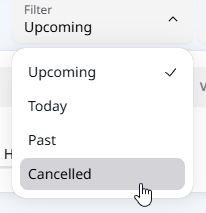
- Choose Events from the sidebar. The Events page opens. It is automatically filtered to to show upcoming events.
- Change the filter to Cancelled.
- The Events page refreshes to show cancelled events.
Tip: You can search for specific events or sort the Date column to show events in date order.
© Libresoft 2026