
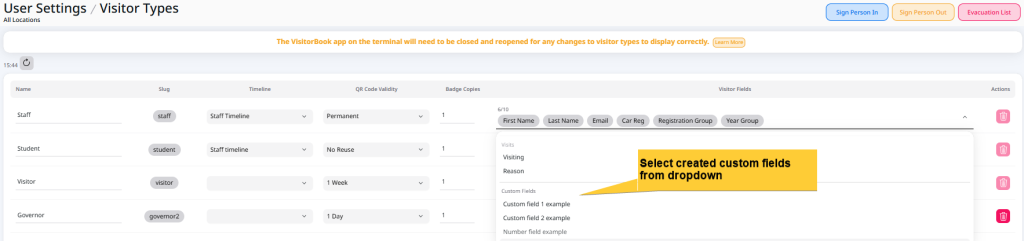
Once you have created custom fields, you can assign them to visitor types.
- Go to User Settings > Visitor Types.
- Go to your chosen visitor type.
- Click on the dropdown in the Visitor Fields column.
- Choose custom fields from the Custom Fields section.
Important:
- The number of fields (total and standard) you can assign to visitor types is limited to 14. We recommend you choose only a few.
- While some visitor fields are optional, custom fields can only be set as essential fields. This means visitors must complete them to sign in.
- Some fields are standard in the system and cannot be edited. These are a combination of essential and optional fields.
NEW! You can now set most visitor fields as optional or required to suit your exact needs. This includes custom fields!
© Libresoft 2026