
Find advice and solutions for the most common issues.
A visitor is not receiving welcome/farewell emails #
The table below sets out some possible causes.
| Possible cause | Check |
| The visitor does not have an email address stored in their details. | Check which visitor fields are set for specific visitor types. You can see these by going to User Settings > Visitor Types. If visitors are not required to include an email address when they sign in, this detail won’t be stored. or Check the individual visitor’s record. This can be viewed by clicking on the View icon in any one of the following pages: – People Onsite – if the visitor is currently signed in – Manage People – for current and past visitors – People History |
| The stored email address for the visitor is incorrect. | Check the individual visitor’s record. This can be viewed by clicking on the View icon in any one of the following pages: – People Onsite – if the visitor is currently signed in – Manage People – for current and past visitors – People History |
| The email template was unassigned from the visitor type. | Go to User Settings > Notifications and review the Configure Notifications section. Check whether an email template has been definitely assigned to the visitor type. |
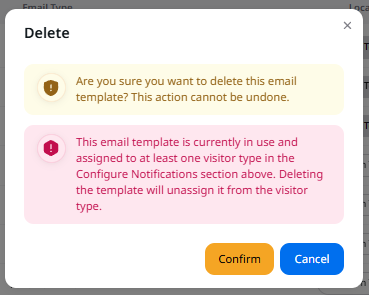
| The email template was deleted. | If you delete an email template from the system, it will automatically be unassigned from any visitor types. The system alerts you that this will happen at the time you delete an email template. Refer to the image below this table. |
I can’t delete the default visitor arrival and farewell emails #
The default emails cannot be deleted. It is also not possible to change the template names for these. You can customise the text in these default emails or create new templates if you wish.
I can’t see the correct visitor type in the Configure Notifications section #
The visitor types shown here are as they have been set on the Visitor Types page. Go to User Settings > Visitor Types to review these. Certain visitor types are standard in the system and cannot be removed.
I don’t want to send a welcome or farewell email to certain types of visitor #
That’s fine! Leave the Configure Notifications section blank if you don’t wish to email certain visitor types.
I want to tailor a message to a particular visitor #
Sorry, this level of customisation is not currently possible in VisitorBook. You can customise emails per overall visitor type.
I see a ‘template is in use’ error message when I try to delete an email template #
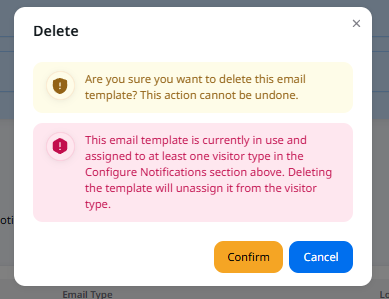
If the template is still assigned to a visitor type in the Configure Notifications section of the Notifications page, the system alerts you. You can continue to delete the template. However, this will automatically unassign the email template from the visitor type. This particular visitor type will no longer receive notifications until you assign a new email template to them.
Back to Notifications
© Libresoft 2026