
COMING SOON! Enhance your welcome and farewell to visitors with an emailed notification.
How welcome/farewell emails work
#
You can send welcome and farewell emails to your visitors with VisitorBook notifications. Welcome emails are sent when visitors sign in. Farewell emails are sent when visitors sign out.
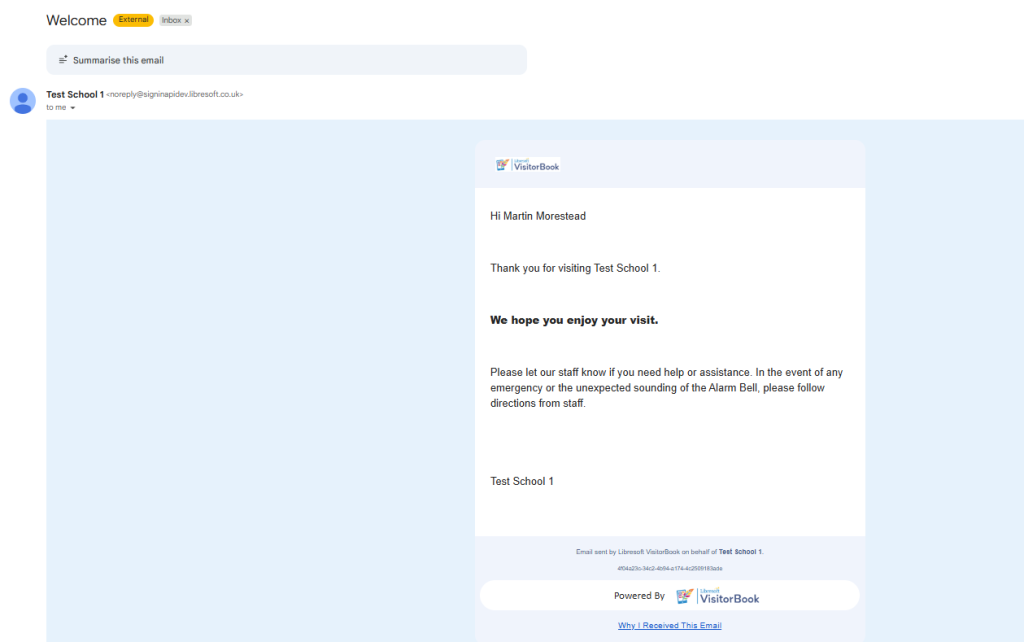
Example of Welcome email #
The image shows an example of a welcome email.
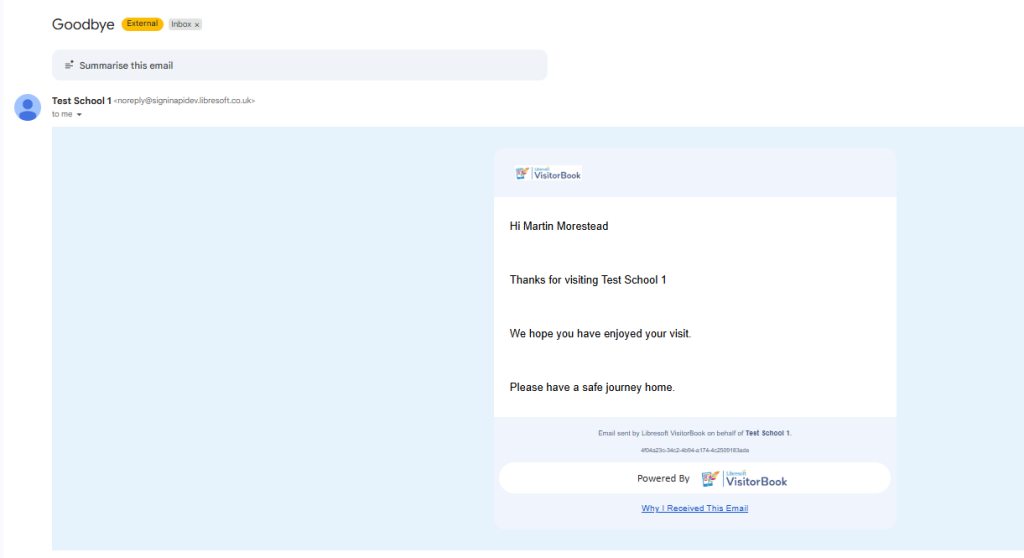
Farewell email example #
The image shows an example of a welcome email.
Welcome/farewell emails – basic functionality #
- Simple interface. Manage welcome/farewell emails on a Notifications page. Find this page under the User Settings menu.
- Automated. Emails are sent when people sign in or out.
- Set up for visitor types. Set up welcome/farewell emails for some visitor types. Don’t send them for others.
- Customisable. Set up welcome emails for different visitor types. You cannot customise them for individual visitors.
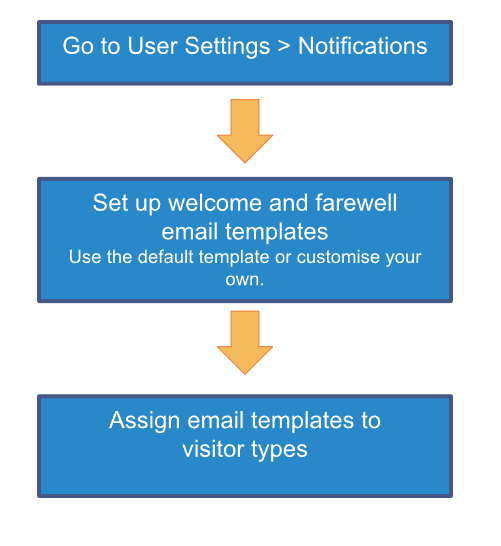
Welcome/farewell emails – overview of setup process #
The image below shows how to set up welcome and farewell emails. Read the detailed guides for more information.
Learn more:
- Welcome/farewell emails – set up email templates
- Welcome/farewell emails – assign to visitor types
- Welcome/farewell emails – troubleshooting
- Include a PDF on a Welcome Email
Back to Notifications
© Libresoft 2026