
Mark specific steps in a visitor timeline as complete on the VisitorBook app on a Staff Terminal.
Important: Timelines will first need to be set up and assigned to visitors in the Admin Portal.
To track visitor progress on a timeline:
- Open the VisitorBook app on a staff terminal.
- Tap Staff. The Staff actions page opens.
- Tap the Timeline Steps button.
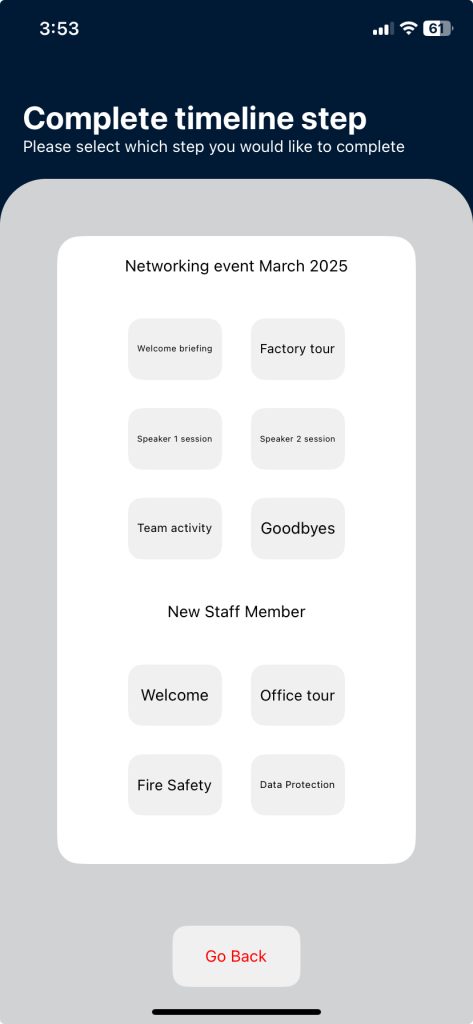
- The Complete Timeline Step page opens. This displays all available timelines.
- Scroll to the correct timeline for the specific visitor.
- Tap the step in the timeline that is complete.
- Scan the visitor QR code (this is on the printed visitor label).
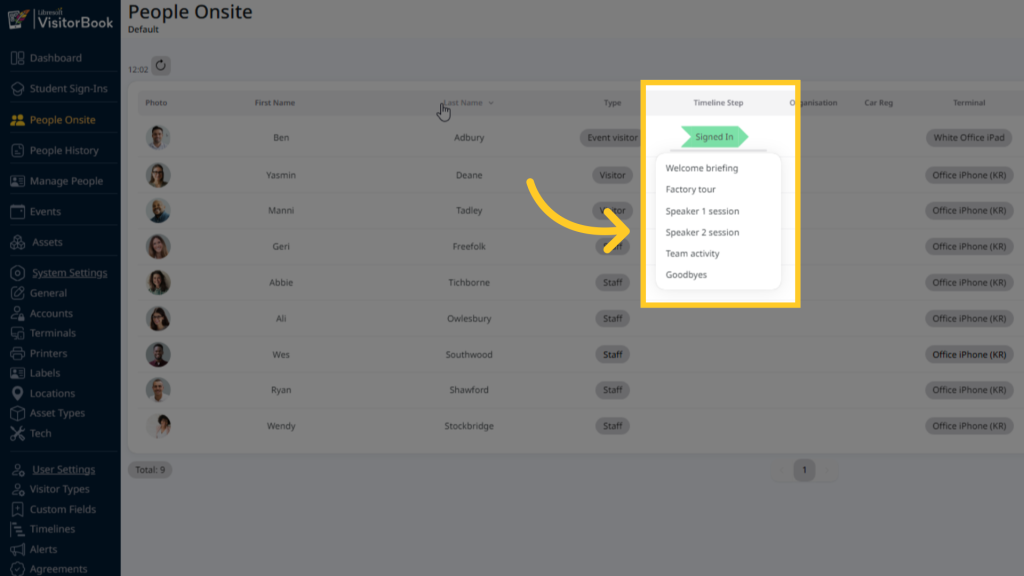
- The timeline step is marked as complete. The Admin Portal updates on the People Onsite page.
© Libresoft 2026