
If you are in an educational setting, the Student Sign-Ins module allows you to use VisitorBook to record student late arrivals and early departures.
Activate the Student Sign-Ins module #
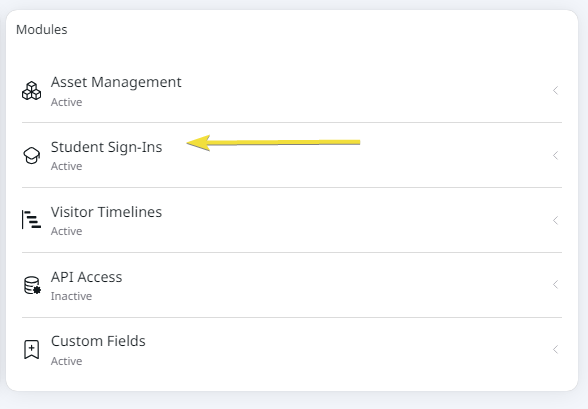
The Student Sign-In module is an optional module. It is automatically added to your VisitorBook subscription if you have selected an educational setting as your organisation type when you subscribe.
The status of the module is shown on the System Settings > General page. It is shown as Active if it is available on your VisitorBook system.
Features of the Student Sign-In module #
Student Visitor Type
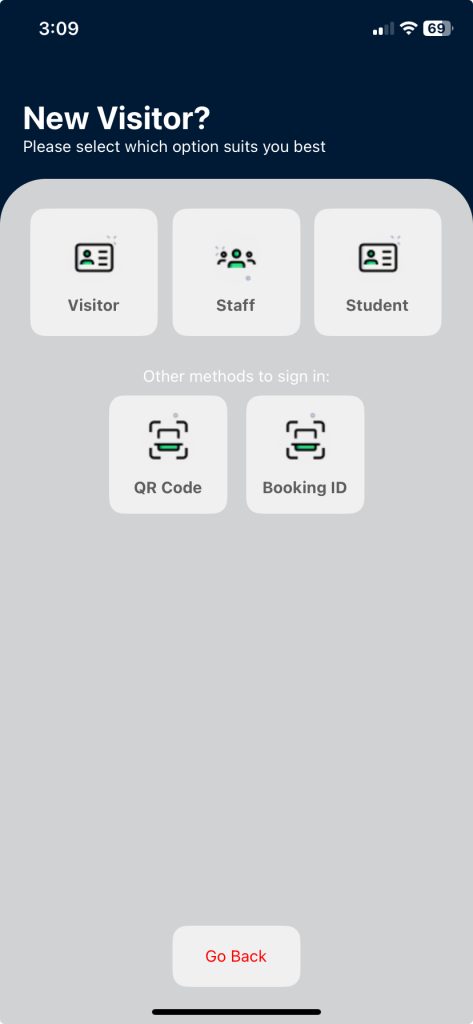
- A default Visitor Type of Student is created and is visible on the VisitorBook app on the terminal used for visitor sign-in.
- Students arriving late select this visitor type on arrival.
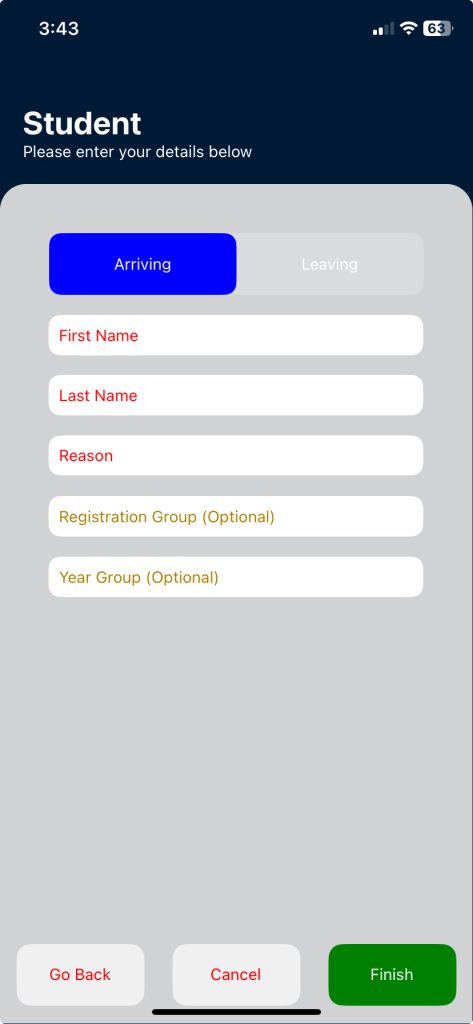
- They have the option of selecting Arriving or Leaving and will be required to complete certain fields, including a Reason why they are late or early.
- Students leaving early can also sign out by tapping Leaving on the terminal Home screen and then tapping Student Leaving on the next screen.
Important: Differences between the sign-in experience for regular visitors and students include:
- Students are not required to have their photograph taken.
- A visitor label is not printed and students do not use QR codes to sign out.
Tip: You can adjust some custom fields shown to students when they sign in/out.
Admin Portal Dashboard
The Dashboard includes additional buttons that show a count of the number of students who have arrived late or left early. Clicking these buttons will take you through to pages that show more detail.

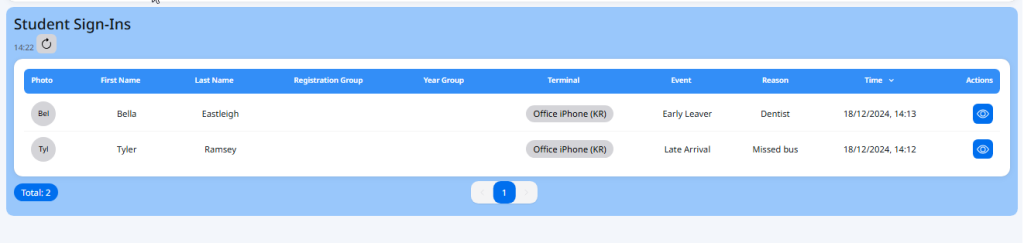
Student Sign-in page
There is an additional menu option in the sidebar that takes you through to the Student Sign-Ins page. This shows more details about students who have arrived late/left early.
Tip: This page is automatically filtered to show today’s date. However, you can adjust the date range using the From/Until filters.

Evacuations
Student arrival/departure information is displayed on generated evacuation lists if an evacuation is started. This is for information purposes only. It is anticipated that educational settings will use other established methods, such as registration lists generated from their school Management Information System (MIS), to account for students.
Important: VisitorBook does not currently writeback MIS registers automatically.
© Libresoft 2025