
COMING SOON! Host notifications are a great way of letting people know when visitors have arrived. The first step is to get your host groups set up.
To set up a host group:
- Go to User Settings > Notifications.
- Go to the Host Groups section.
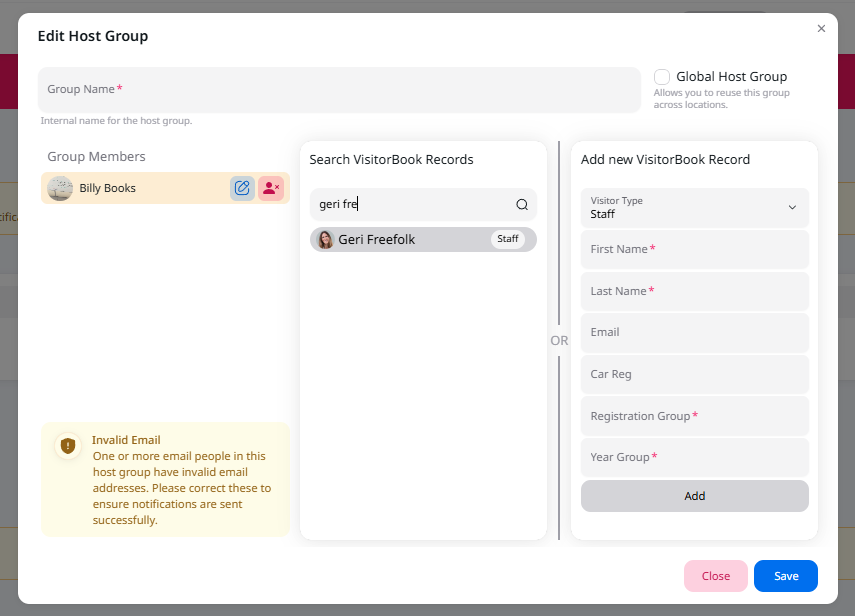
- Click the Add New Host Group button. The Edit Host group popup opens.
- Add a title to the Group Name field.
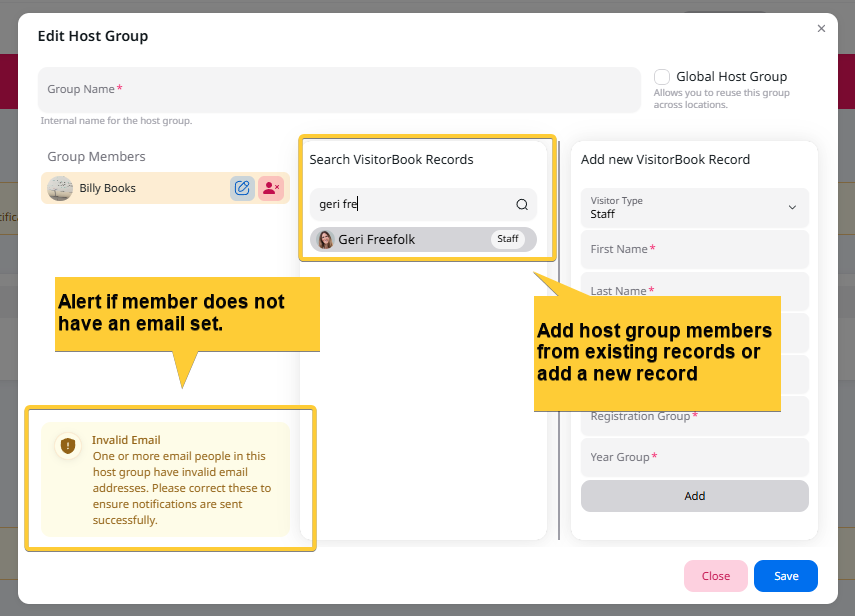
- Add group members. To do this, you can search existing VisitorBook records or add a new VisitorBook record.
- When you have finished adding host group members, click the Save button.
- You have created a host group!
Tip: Host groups can contain a single member or multiple members.
Important:
- Host group members must have an email address in their record to receive host group notifications. The system alerts you if you add a host group member who does not have an email address.
- You cannot add a student visitor type to a host group.

© Libresoft 2026