
COMING SOON! VisitorBook currently allows you to add one PDF document to a Welcome Email. This may be useful if you want the visitor to read detailed health and safety information when they sign in.
When can PDFs be added to emails? #
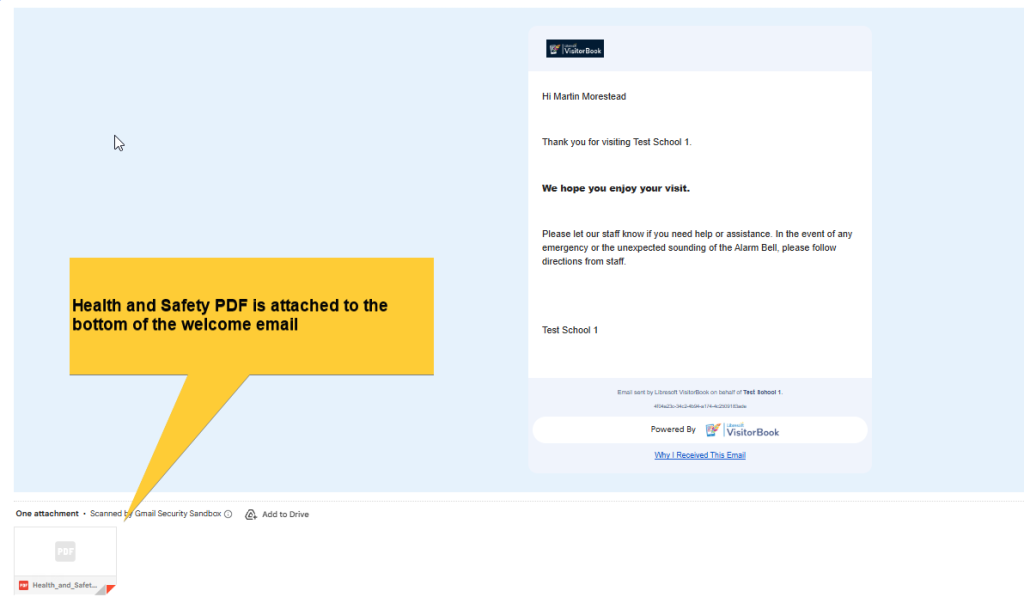
PDFs can be added to Welcome Emails. These can be sent to visitors when they sign in.
Learn more: Welcome/Farewell emails – overview
Limits of PDF tool #
- You can add only one PDF to your VisitorBook system.
- The PDF is only sent with Welcome Emails. It cannot be sent with any other kind of notification.
- The PDF is sent with all Welcome Emails. You cannot set it up to be sent to some visitor types and not others.
Add a PDF document to Welcome Emails #
To add a PDF document:
- Log into your VisitorBook Admin Portal.
- Go to System Settings > General.
- Go to the Organisation Information section.
- Go to the Health & Safety PDF section.
- Next to the Health & Safety PDF field, click on Choose File.
- Your system folders open.
- Choose the H&S PDF from your files. Click Open to add the PDF to your Visitorbook system.
- The PDF file is added. It will now appear on all Welcome Emails.


© Libresoft 2026