
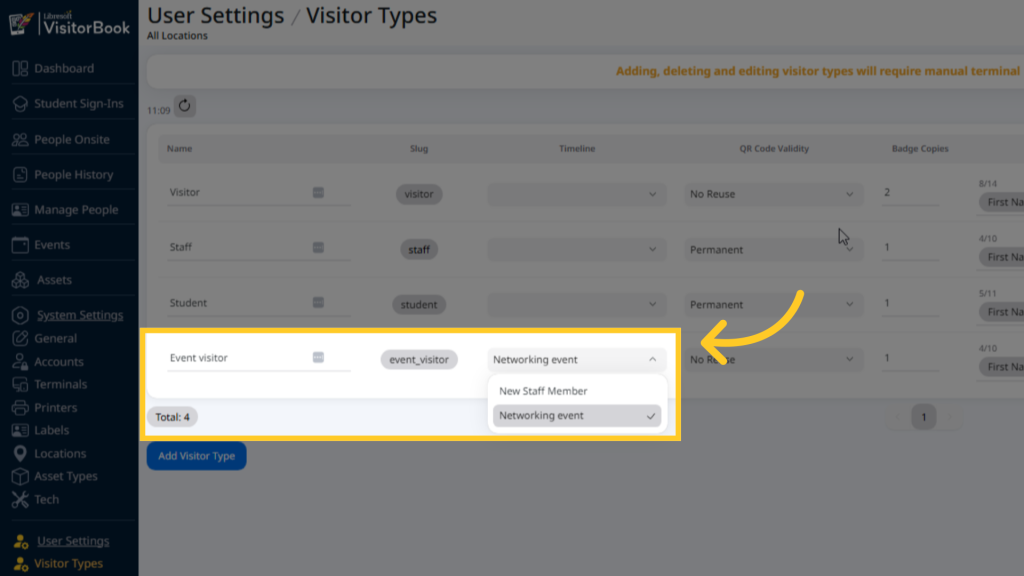
Once you have created a timeline, you can assign it to a particular visitor type.
- Log into your VisitorBook Admin Portal.
- Go to User Settings > Visitor Types. The Visitor Types page opens.
- Choose a specific visitor type.
- Go to the Timeline column. Choose the timeline from the dropdown.
Important:
- You must create the timeline before assigning it to a visitor type.
- The timeline applies to all visitors who sign into VisitorBook as that particular visitor type.
© Libresoft 2026