
Add custom fields to visitor labels #
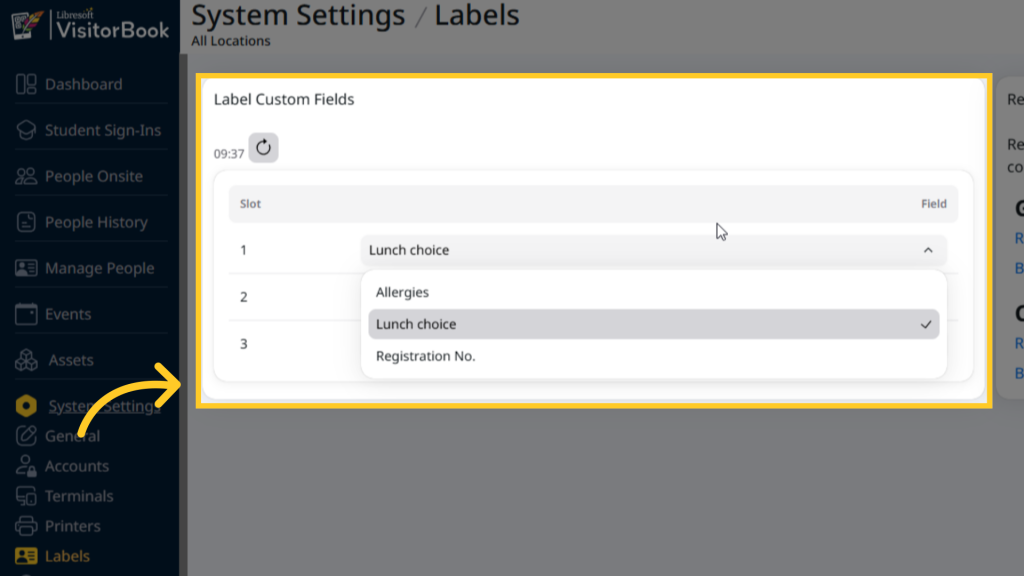
You can add up to three custom fields to printed visitor labels. To do this:
- Log into your VisitorBook Admin Portal.
- Go to System Settings > Labels.
- Go to the Label Custom Fields section.
- Choose your required custom fields from the dropdown.
Important: You must create custom fields before you can add them to the labels.
Add custom fields to asset labels #
Have the optional Assets module? You can also add custom fields to printed asset labels.
Learn more: Asset Management Module Overview
Back to: Custom Fields Module
© Libresoft 2026