
To add a custom field:
- Log into your VisitorBook Admin Portal.
- Go to User Settings > Custom Fields. The Custom Fields page opens.
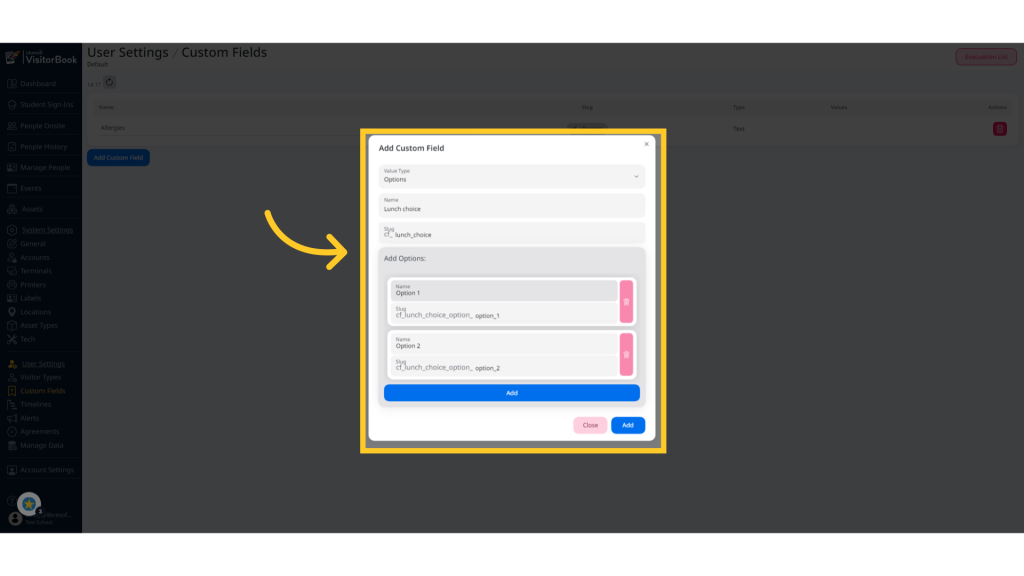
- Click the Add Custom Field button. The Add Custom Field popup opens.
- Choose the field Value Type. This is Text, Number or Option.
- Add a custom field name. The slug field auto-populates as you type in the name.
- If you are creating an Options custom field, add the required options. For example, you may want visitors to select lunch options from a fixed events menu. Click Add for each individual option.
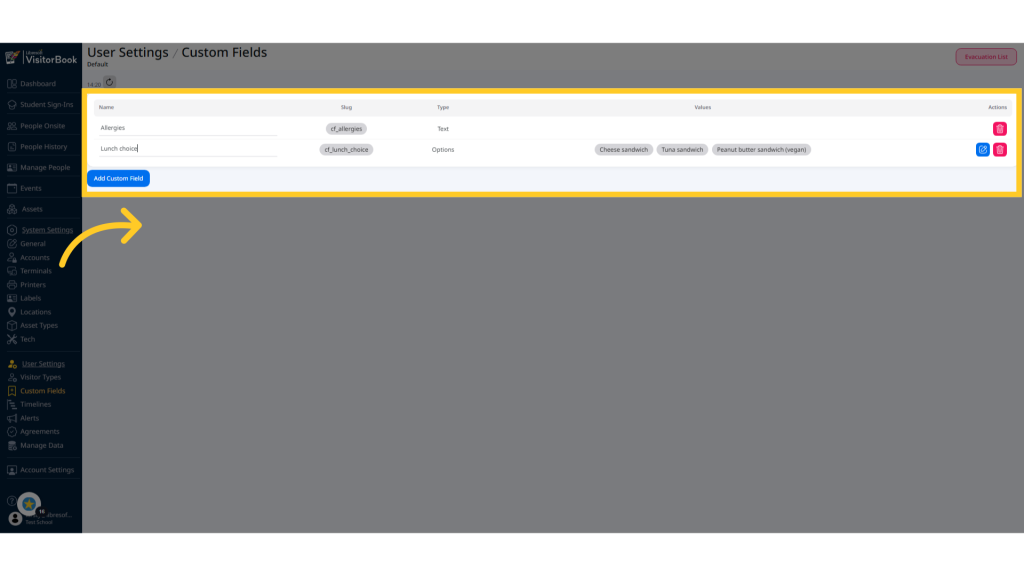
- When you have finished, click the Add button. The custom field appears in the list of current custom fields.
© Libresoft 2026