
NEW! Toggle on event notifications to start sending invites.
You can choose whether or not to notify attendees of upcoming events. The first step is to turn on the event notification feature. Refer to the table below.
| Step | System action | Notes |
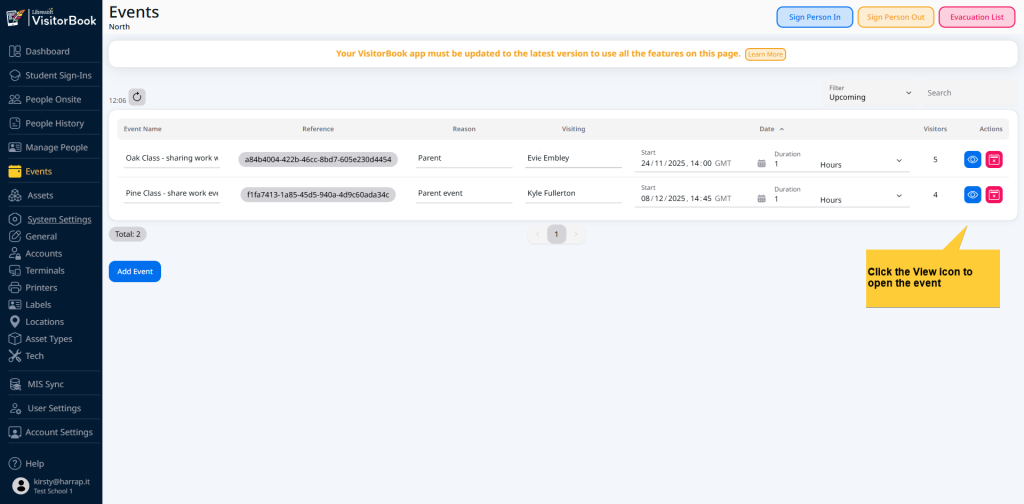
| Select Events from the menu. | The Events page opens. | The page is automatically filtered to show upcoming events. |
| Find the event in the list of events. Click the View icon in the Actions column. | The Events page for the specific event opens. | |
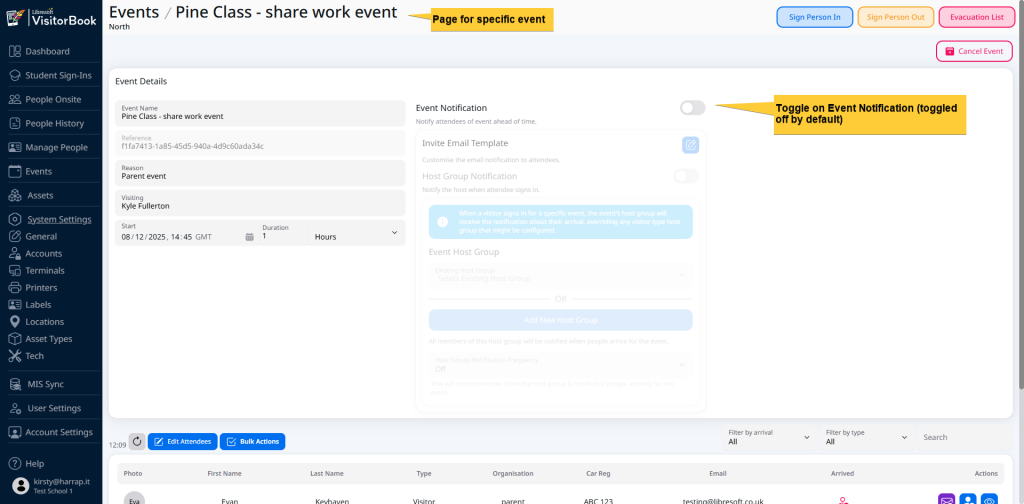
| Go to the Event Notification toggle. | The Events Notification section is turned on (not greyed out). | Event Notifications are toggled off by default. Features in this section are greyed out unless notifications are toggled on. |
© Libresoft 2026